> ## Documentation Index
> Fetch the complete documentation index at: https://docs.olly.new/llms.txt
> Use this file to discover all available pages before exploring further.
# FAQs
Find answers to the most frequently asked questions about data sources.
Olly does not introduce a separate RBAC model.
Access in Olly is determined by the data source that is connected to it. When a data source is added (via API key or SSO), Olly operates according to the data scopes and permissions associated with that connection.
You must connect at least one data source for Olly to query. When a new Coralogix team is connected as a data source, Olly begins learning its data—this process can take up to 24 hours. Once complete, Olly’s accuracy improves dramatically.
AI capabilities must be enabled in Coralogix by the admin. To allow data source connection, enable the **AI-Powered Capabilities** toggle in **Settings → Account Preferences**.
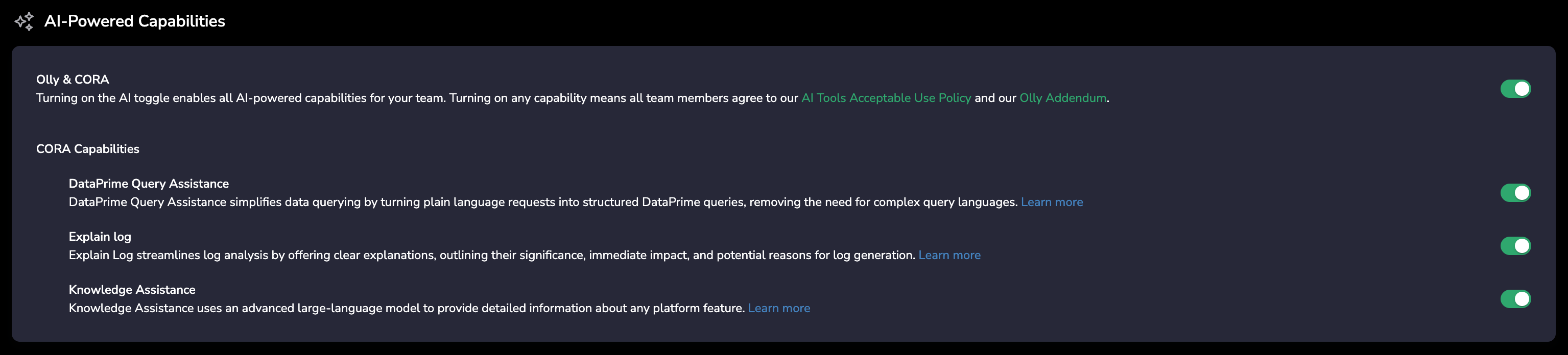 Yes. However, once integrated, Olly starts learning your observability workspace. This process can take up to 24 hours. Once finished, Olly’s accuracy gets improved dramatically.
If your organization has multiple Coralogix teams, identifying the correct one depends on how the data source was connected:
* Connected using an access token (Sign in with **Coralogix → Coralogix tab**): Olly displays the exact Coralogix team name, making it easy to identify the corresponding account.
* Connected **manually** using an API key: Olly currently does not display the Coralogix team name for API key–based connections. We’re aware this can be limiting and may improve this experience in a future update.
Yes. However, once integrated, Olly starts learning your observability workspace. This process can take up to 24 hours. Once finished, Olly’s accuracy gets improved dramatically.
If your organization has multiple Coralogix teams, identifying the correct one depends on how the data source was connected:
* Connected using an access token (Sign in with **Coralogix → Coralogix tab**): Olly displays the exact Coralogix team name, making it easy to identify the corresponding account.
* Connected **manually** using an API key: Olly currently does not display the Coralogix team name for API key–based connections. We’re aware this can be limiting and may improve this experience in a future update.