> ## Documentation Index
> Fetch the complete documentation index at: https://docs.olly.new/llms.txt
> Use this file to discover all available pages before exploring further.
# Create GitHub Data Sources
After the GitHub [integration](https://docs.olly.new/content/olly-github-integration) is enabled by an organization admin, individual users can connect their own GitHub repositories. This allows Olly to use code context from that repository when answering questions and running investigations.
GitHub data sources can only be created as **personal** data sources. Shared data sources are not supported for this integration.
## Connect GitHub as a data source
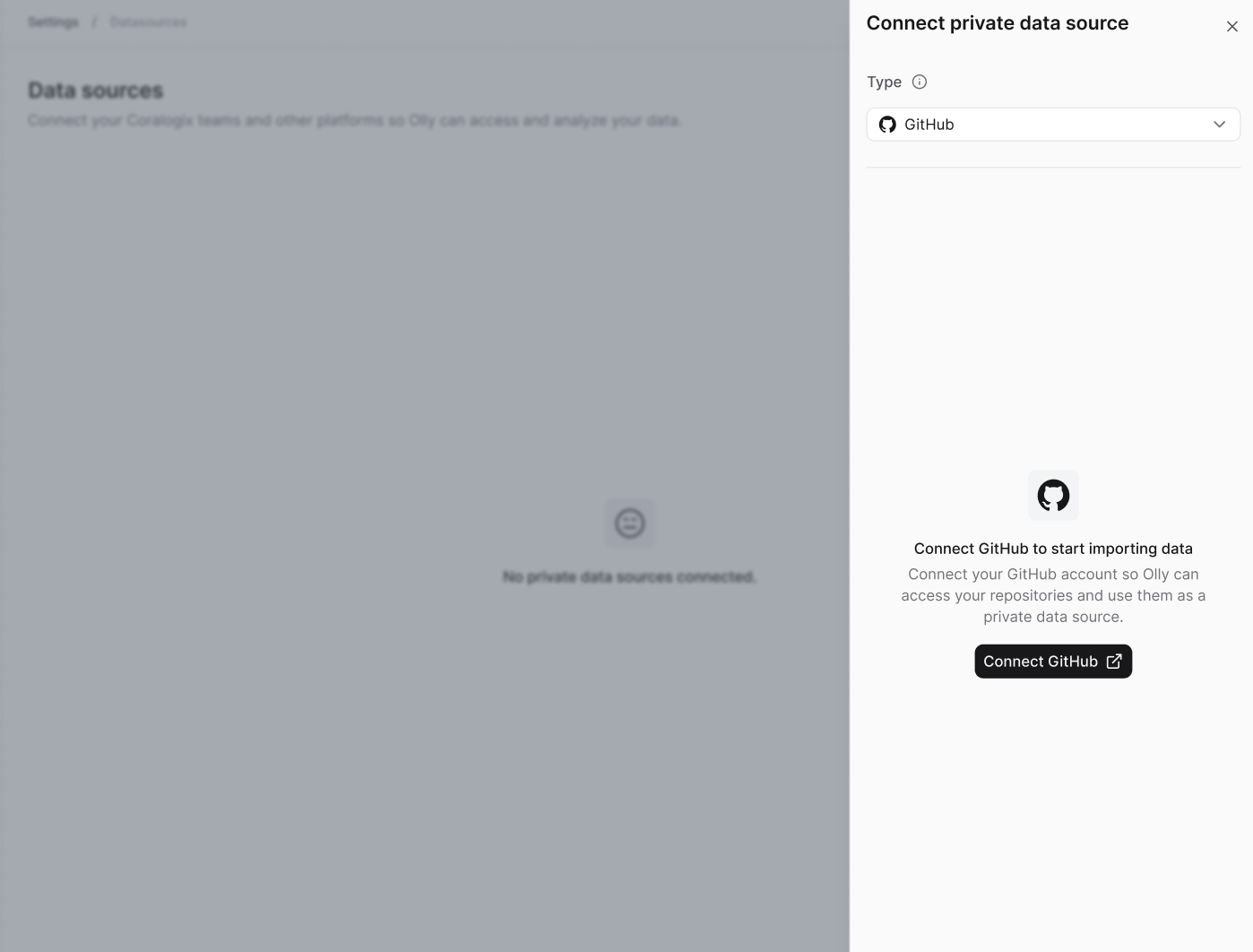
1. Go to **Data sources → Connect**.
2. Select **Personal data source**.
3. Set the type to **GitHub**.
4. Select **Connect GitHub**.
5. Complete the GitHub authentication flow.
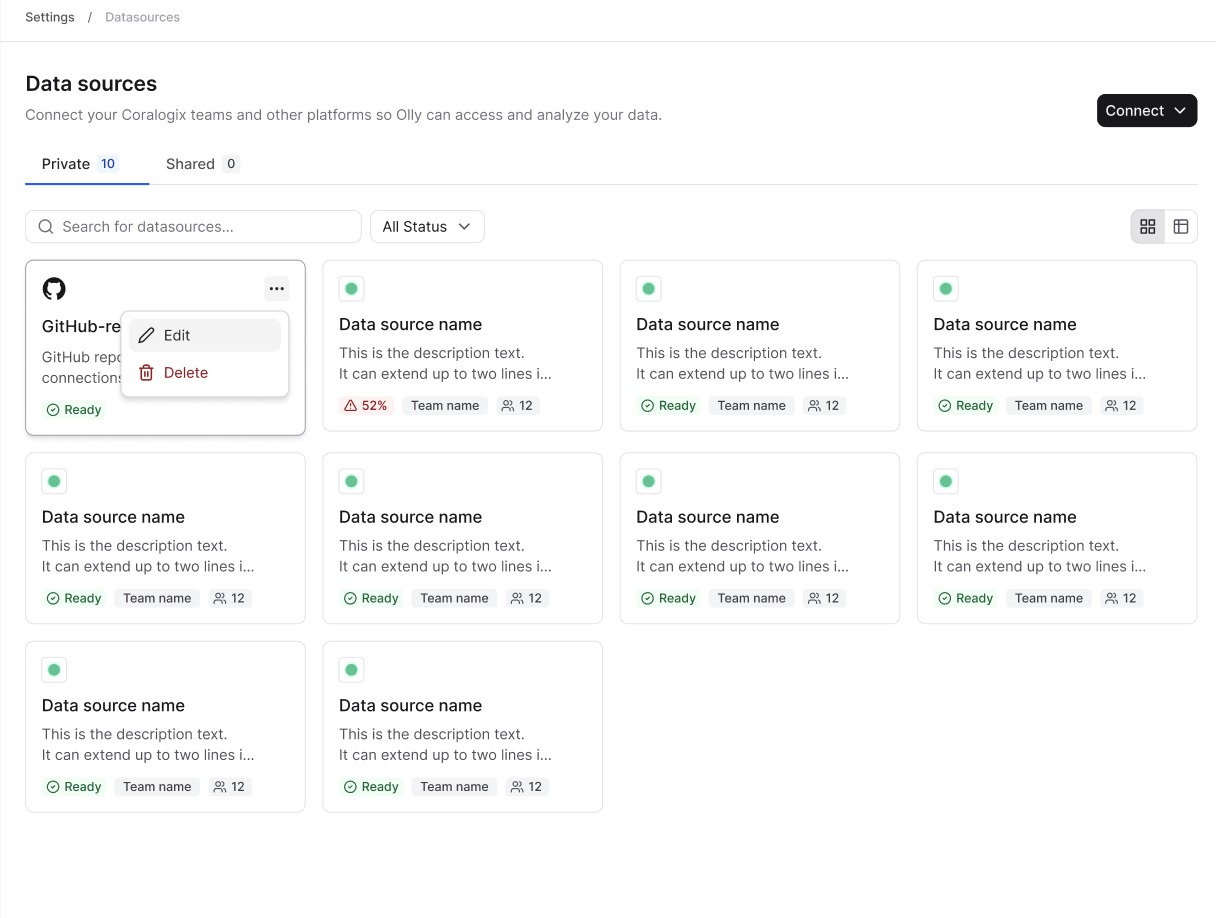
 Once connected, you can view, edit, or delete your GitHub data source from the **Data sources** menu.
 If an admin disables or removes the GitHub integration, all GitHub data sources connected by users in the organization are immediately unavailable.
## Usage requirements
* GitHub data source is available only in [Focus](https://docs.olly.new/content/olly-fast-focus-modes) mode.
* Currently, Olly supports one GitHub data source per user, and one repository per data source (multi-repo support coming later).
* A specific repository must be selected to use code context. Queries cannot run without choosing a repository.
* If you have access to repositories in GitHub that do not appear in the repository selection dropdown in the chat, contact your GitHub organization administrator to approve access for Olly's app.
## Use GitHub data source in chat
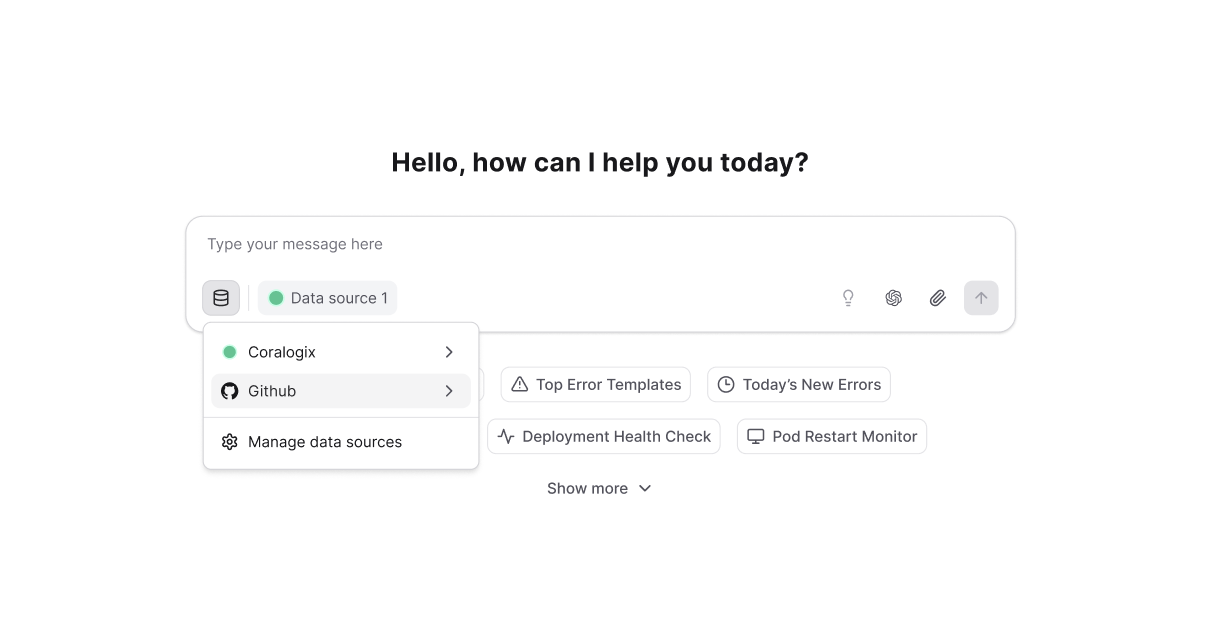
When chatting with Olly in **Focus** mode, you can select the **GitHub data source**. Olly will automatically use code context when it’s relevant to your question or investigation.
If an admin disables or removes the GitHub integration, all GitHub data sources connected by users in the organization are immediately unavailable.
## Usage requirements
* GitHub data source is available only in [Focus](https://docs.olly.new/content/olly-fast-focus-modes) mode.
* Currently, Olly supports one GitHub data source per user, and one repository per data source (multi-repo support coming later).
* A specific repository must be selected to use code context. Queries cannot run without choosing a repository.
* If you have access to repositories in GitHub that do not appear in the repository selection dropdown in the chat, contact your GitHub organization administrator to approve access for Olly's app.
## Use GitHub data source in chat
When chatting with Olly in **Focus** mode, you can select the **GitHub data source**. Olly will automatically use code context when it’s relevant to your question or investigation.
 ### How it works
Once the integration is enabled and GitHub data source is connected, Olly can search and analyze your repository when code context is relevant, for example when:
* You ask about specific code behavior.
* Olly is conducting an investigation.
* Olly is performing root cause analysis.
Olly always works with the most up-to-date version of the repository and can analyze specific commits or points in time, making it easier to:
* Compare production vs. staging behavior.
* Identify regressions.
* Understand why an issue happens now but didn’t before.
### Insights & fixes
When code context is used, Olly can:
* Highlight exact file paths and line ranges.
* Explain why those lines matter.
* Suggest targeted fixes or code changes.
### How it works
Once the integration is enabled and GitHub data source is connected, Olly can search and analyze your repository when code context is relevant, for example when:
* You ask about specific code behavior.
* Olly is conducting an investigation.
* Olly is performing root cause analysis.
Olly always works with the most up-to-date version of the repository and can analyze specific commits or points in time, making it easier to:
* Compare production vs. staging behavior.
* Identify regressions.
* Understand why an issue happens now but didn’t before.
### Insights & fixes
When code context is used, Olly can:
* Highlight exact file paths and line ranges.
* Explain why those lines matter.
* Suggest targeted fixes or code changes.